Features

Everything you need. Nothing you don't.

Built for how money really works: cards with statement and due dates, multiple currencies at today's rate, and bank keys at hand.

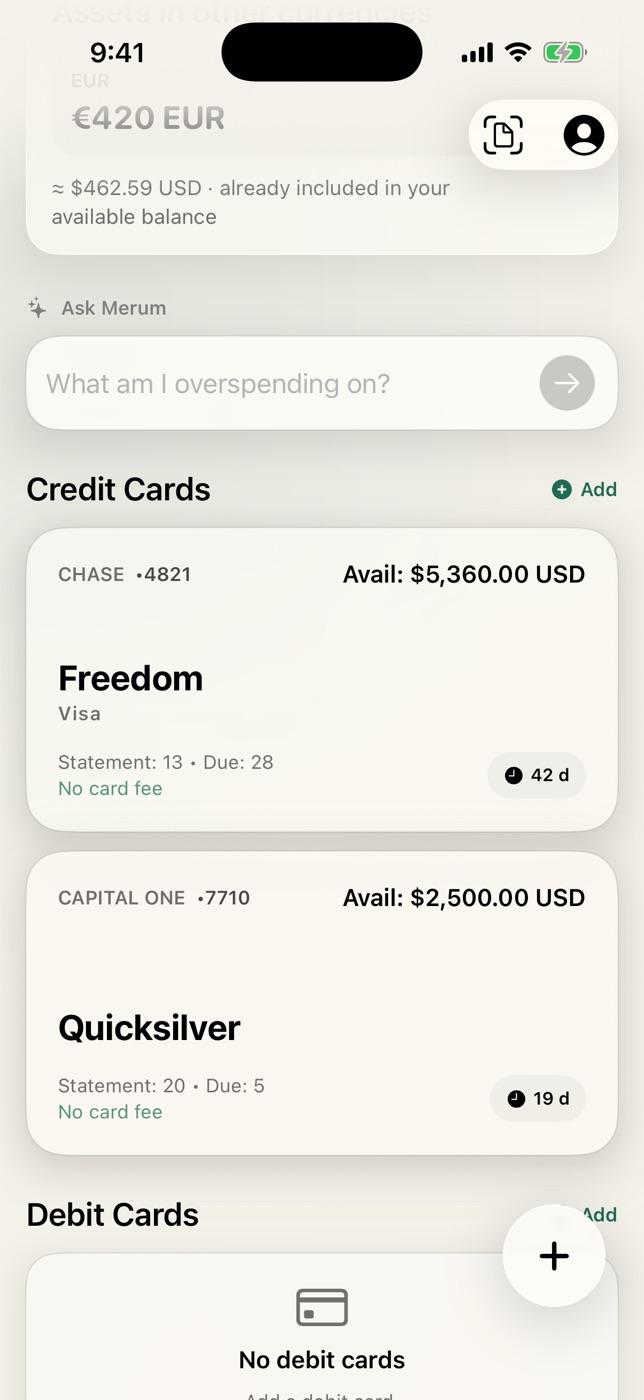
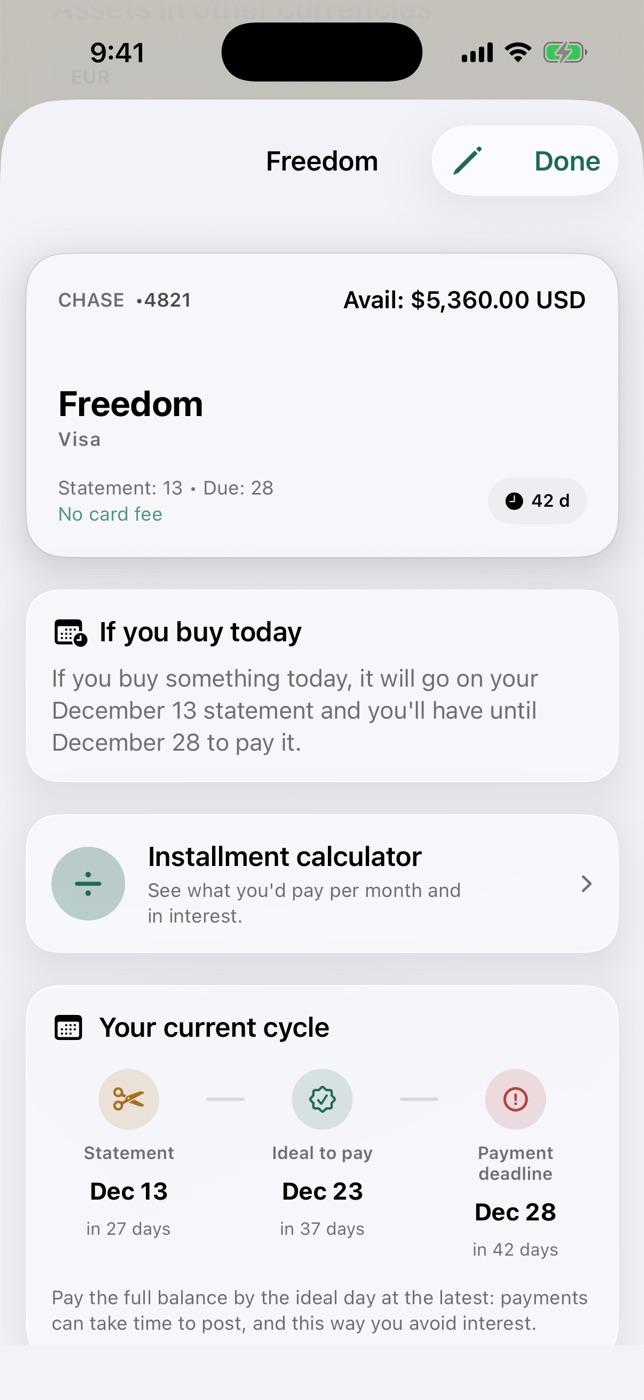
Credit card with statement date, due date and days of credit
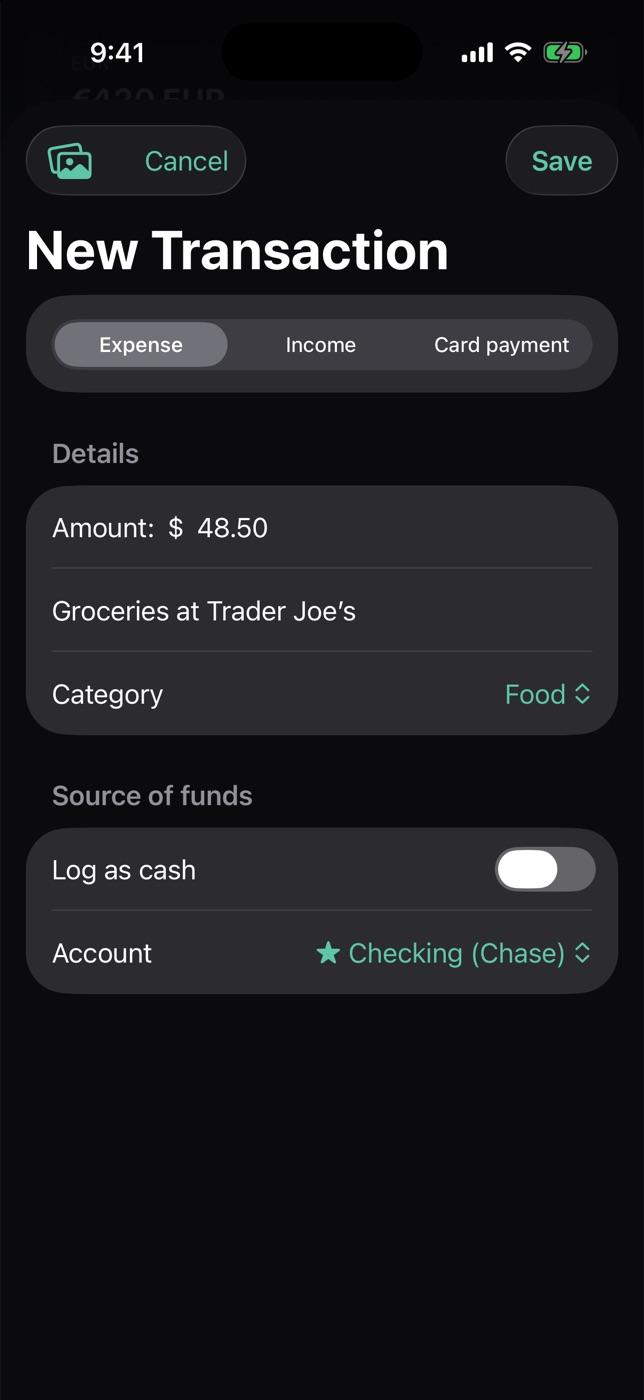
New transaction in dark mode
The star feature

Buy on the right day. Pay 45 days later.

Every card has a statement date and a due date. Buy right after the statement closes and that purchase lands on the next bill, so you have until the due date to cover it. Merum knows each card's dates and tells you how many days you get if you buy today.

  • Statement date, best day to pay and due date for every card
  • Reminds you before it's due (Pro)
  • Installment calculator with this month's maximum legal rate
Card · closes 15th · due 30th
You buy on Nov 16right after the statement closes
TodayCloses Dec 15Due Dec 30
44 days to pay
You buy on Nov 14one day before it closes
TodayDue Nov 30
16 days to pay
Card detail: if you buy today, statement date, best day and due date
Home

Your money,
at a glance.

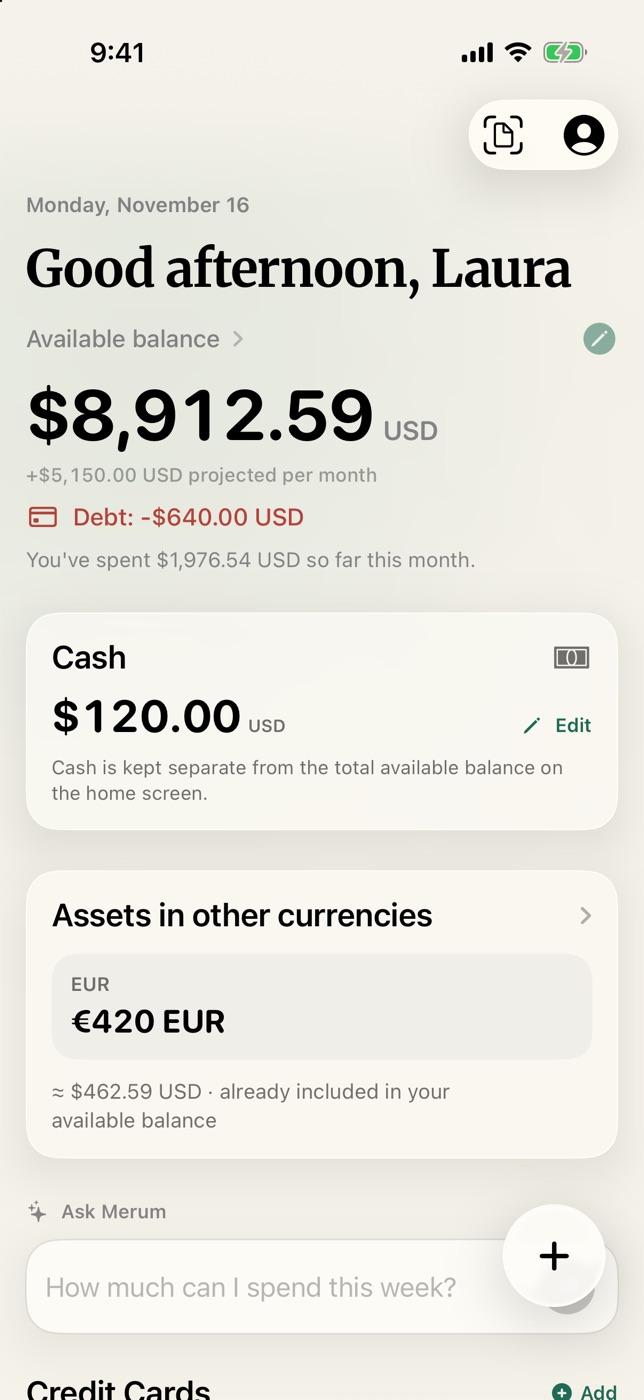
Available balance, card debt and what you've spent this month. What matters up top, no charts to decode.

  • The balance of all your accounts, added up
  • Card debt and debt outside banks
  • This month's spending in one line
Merum home: available balance, debt and this month's spending
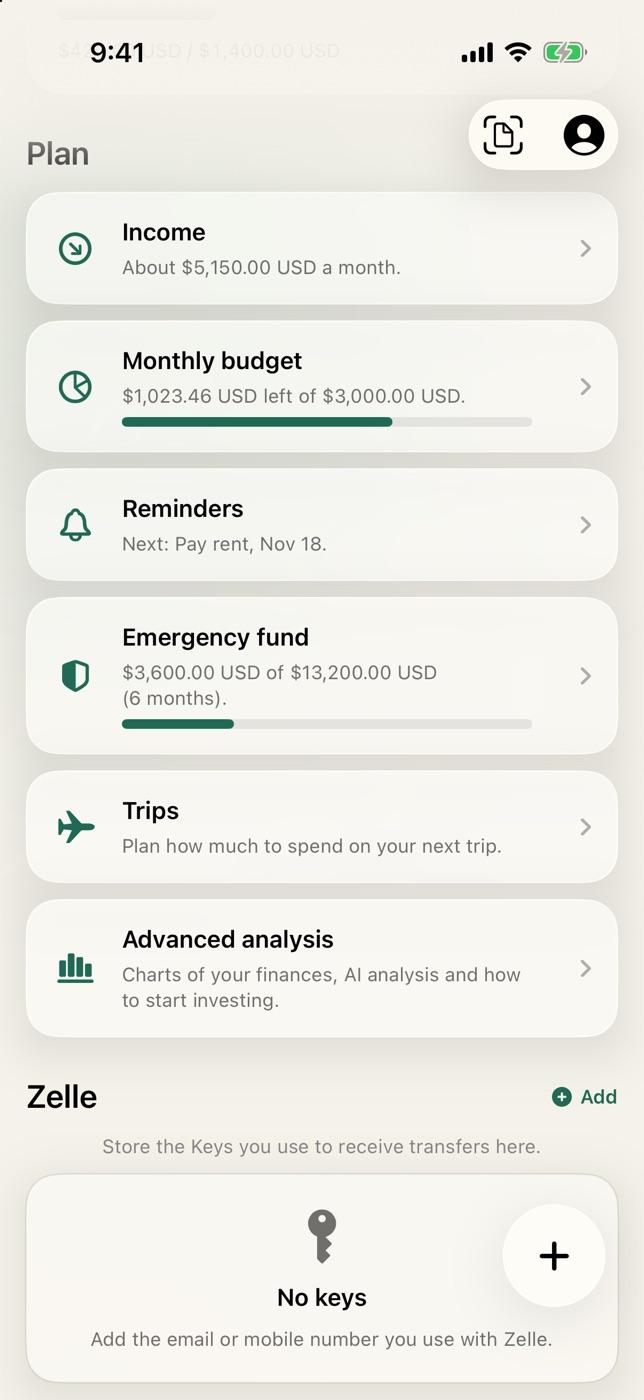
Plan: income, budget, reminders and more
Cards

Know when you pay.
Before you buy.

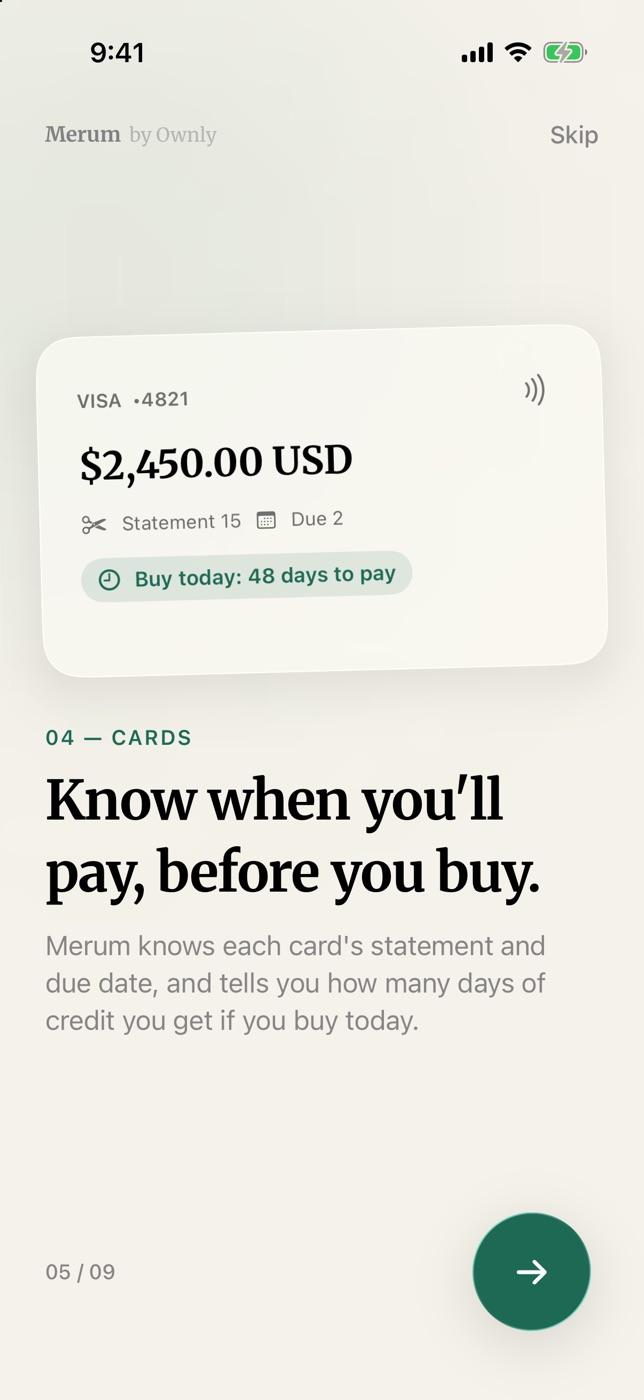
Merum knows each card's statement and due dates, and tells you how many days of credit you get if you buy today.

  • Statement date, due date and best day to pay
  • Days of credit if you buy today
  • Installment calculator with the maximum legal rate
Credit card with statement date, due date and days of credit
Know when you pay, before you buy
Transactions

Log in seconds.
Or let it log itself.

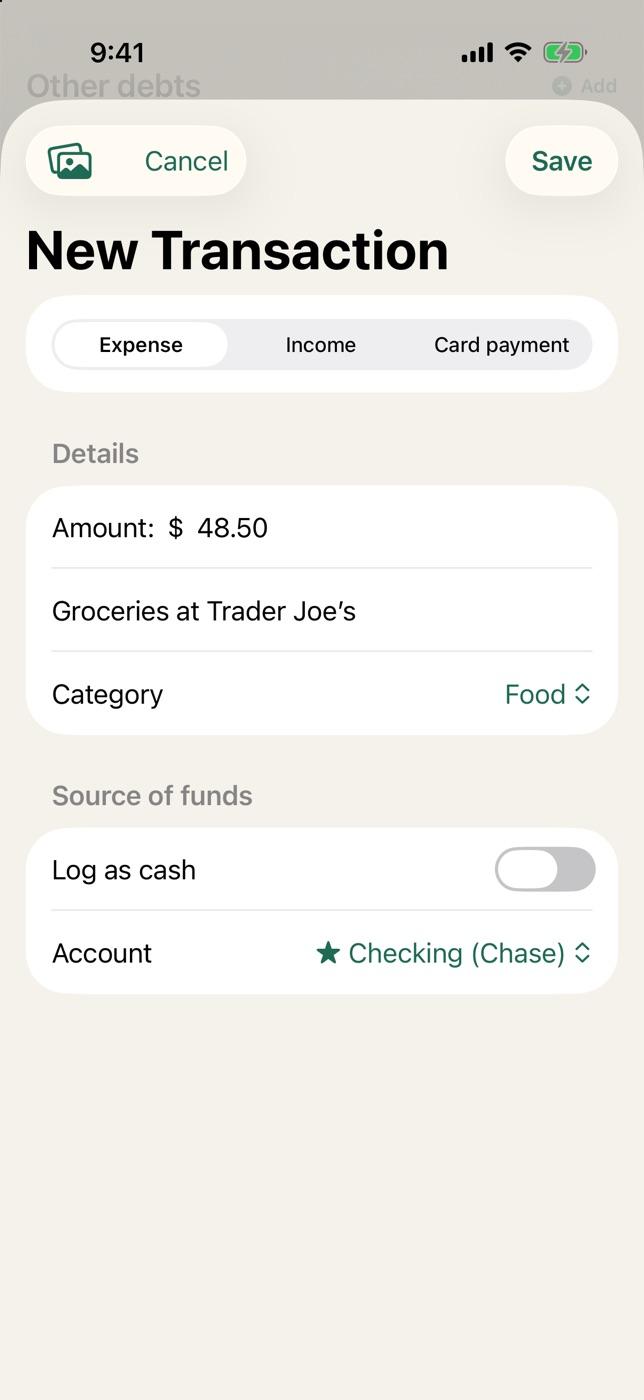
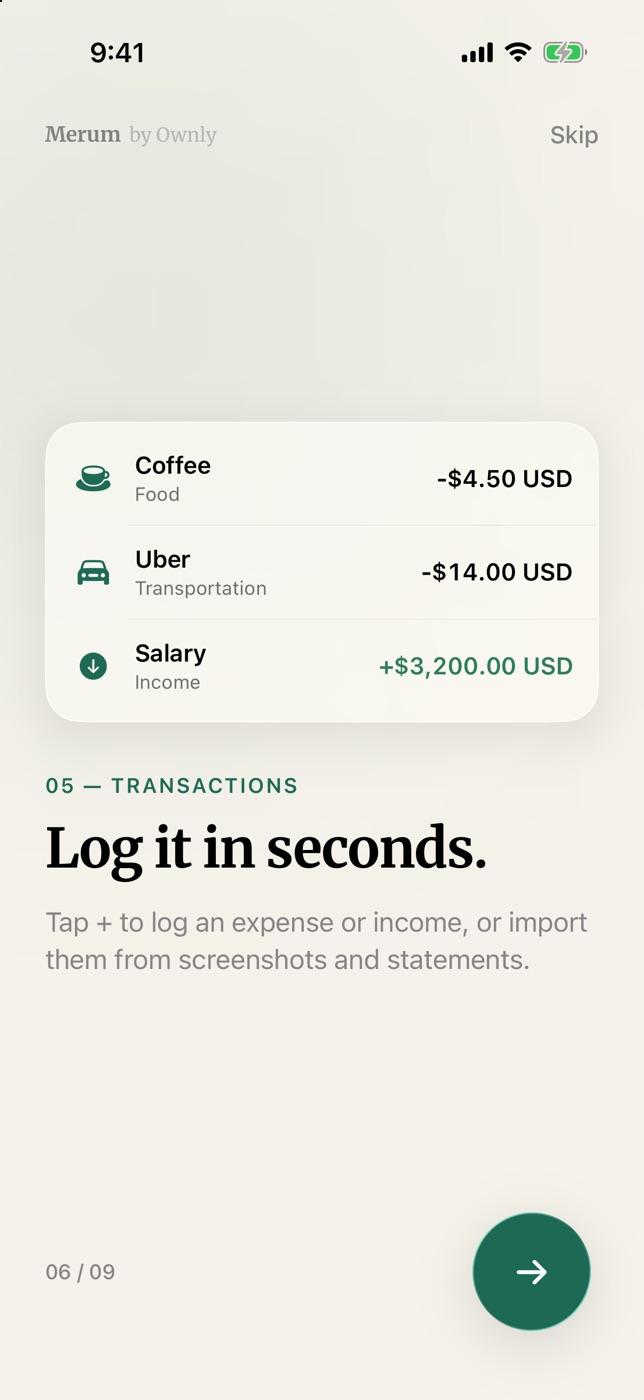
Tap + to log an expense or income. With Apple Wallet and your bank's notifications, it logs itself.

  • One-tap logging
  • Apple Wallet and bank notifications (beta)
  • Import screenshots and statements (Pro)
Logging a new transaction in Merum
Log in seconds
Plan

A month with a plan.
No surprises.

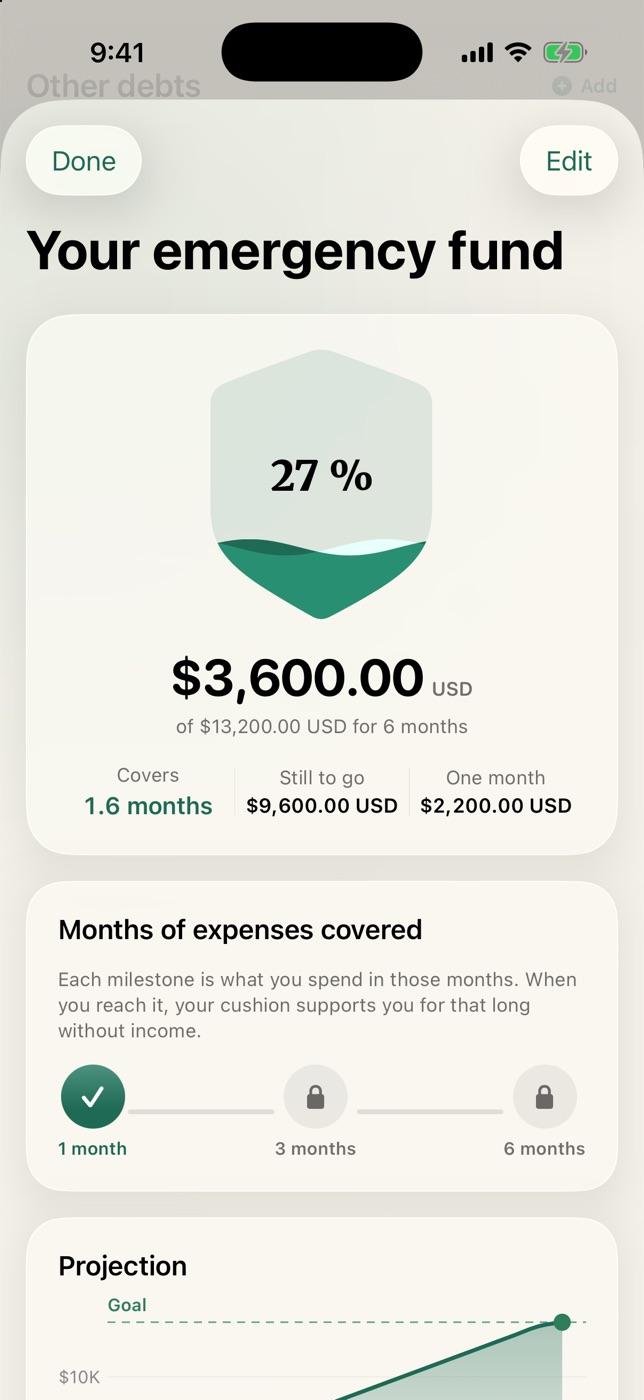
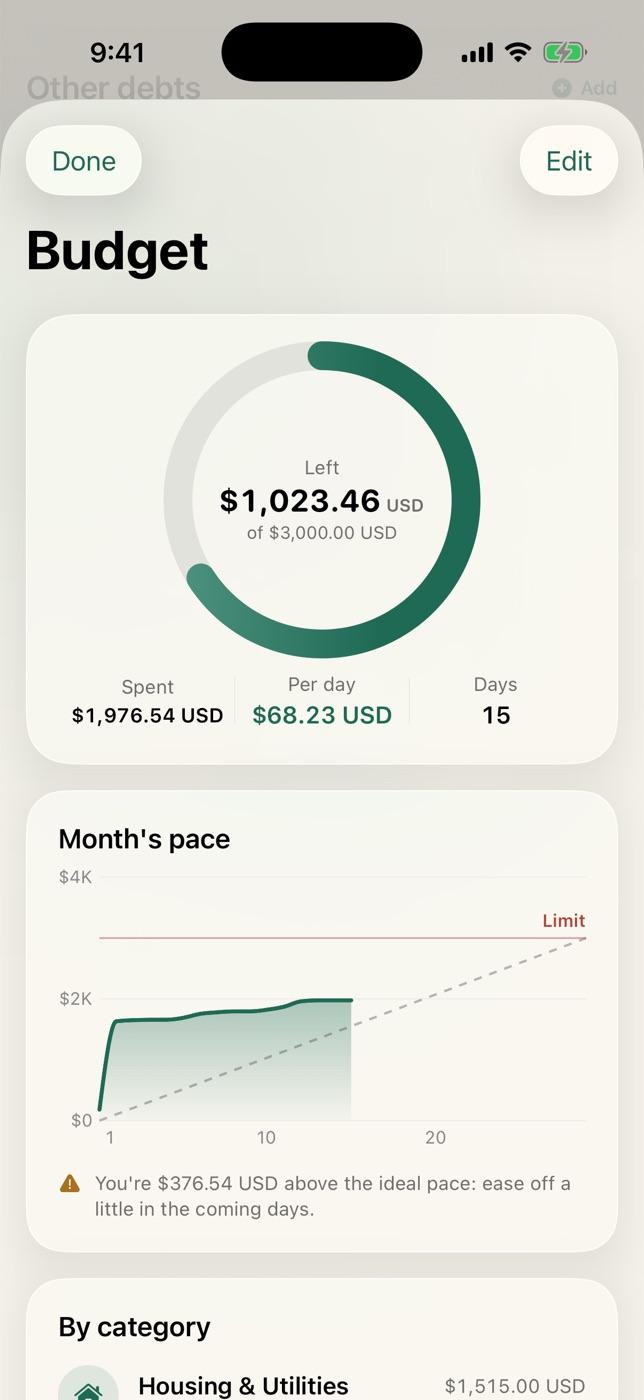
Project your income, set a budget, get reminders and build your emergency fund or your next trip.

  • A budget with a daily pace
  • Emergency fund and trips (Pro)
  • Reminders before every payment
Monthly budget: what's left, daily pace and categories
Emergency fund: a shield that fills up, with a projection
Make it yours

Pesos or dollars.
Spanish or English.

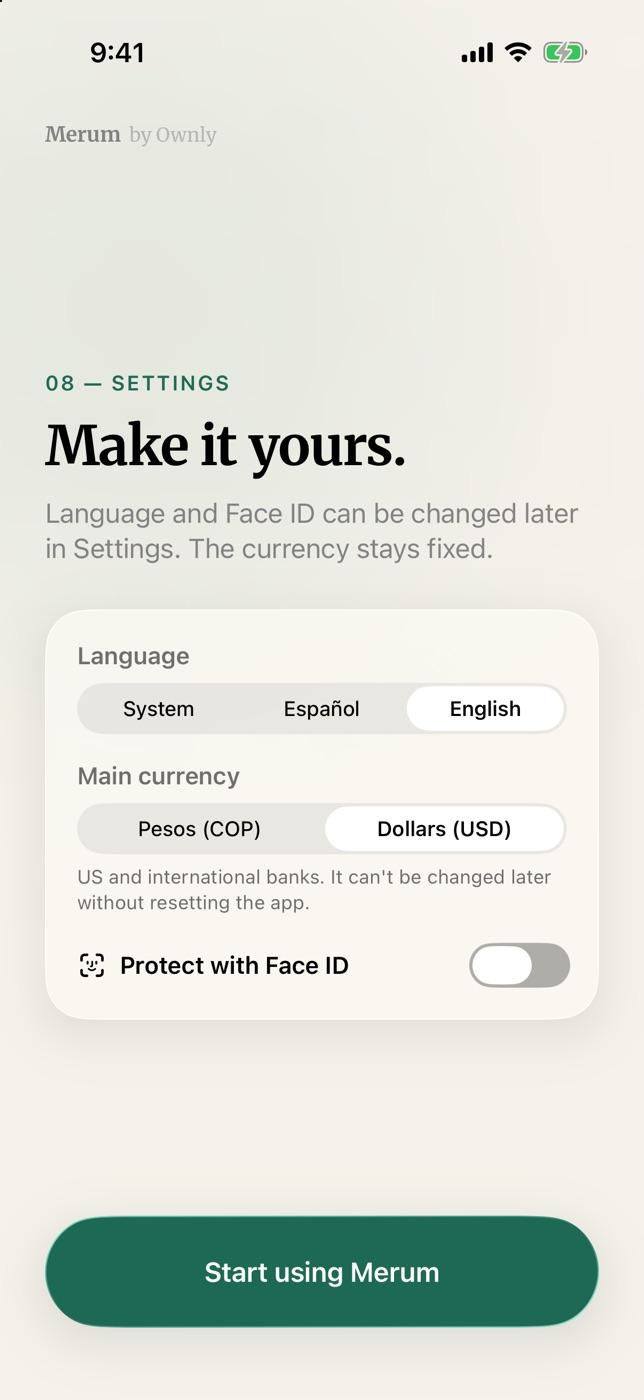
Colombian banks and Bre-B keys, accounts in dollars or euros at the official exchange rate, and Face ID from day one.

  • Accounts in COP, USD and EUR
  • Bre-B keys at hand
  • Light, dark or automatic theme
Make it yours: language, currency and Face ID
And also

The details that add up.

  1. Savings goals

    Set a goal, add to it when you can and watch it get closer.

  2. Financial health

    Your debts against your available money, and a report every month (Pro).

  3. Bre-B, Zelle and currencies

    Save your payment keys and log in pesos, dollars or euros.

  4. Shortcuts and Apple Wallet

    Log a payment with Wallet or from your bank's notification.

  5. Import

    Turn screenshots and PDF statements from your bank into transactions (Pro).

Next · How it protects youSecurity